AI Highlight Finder
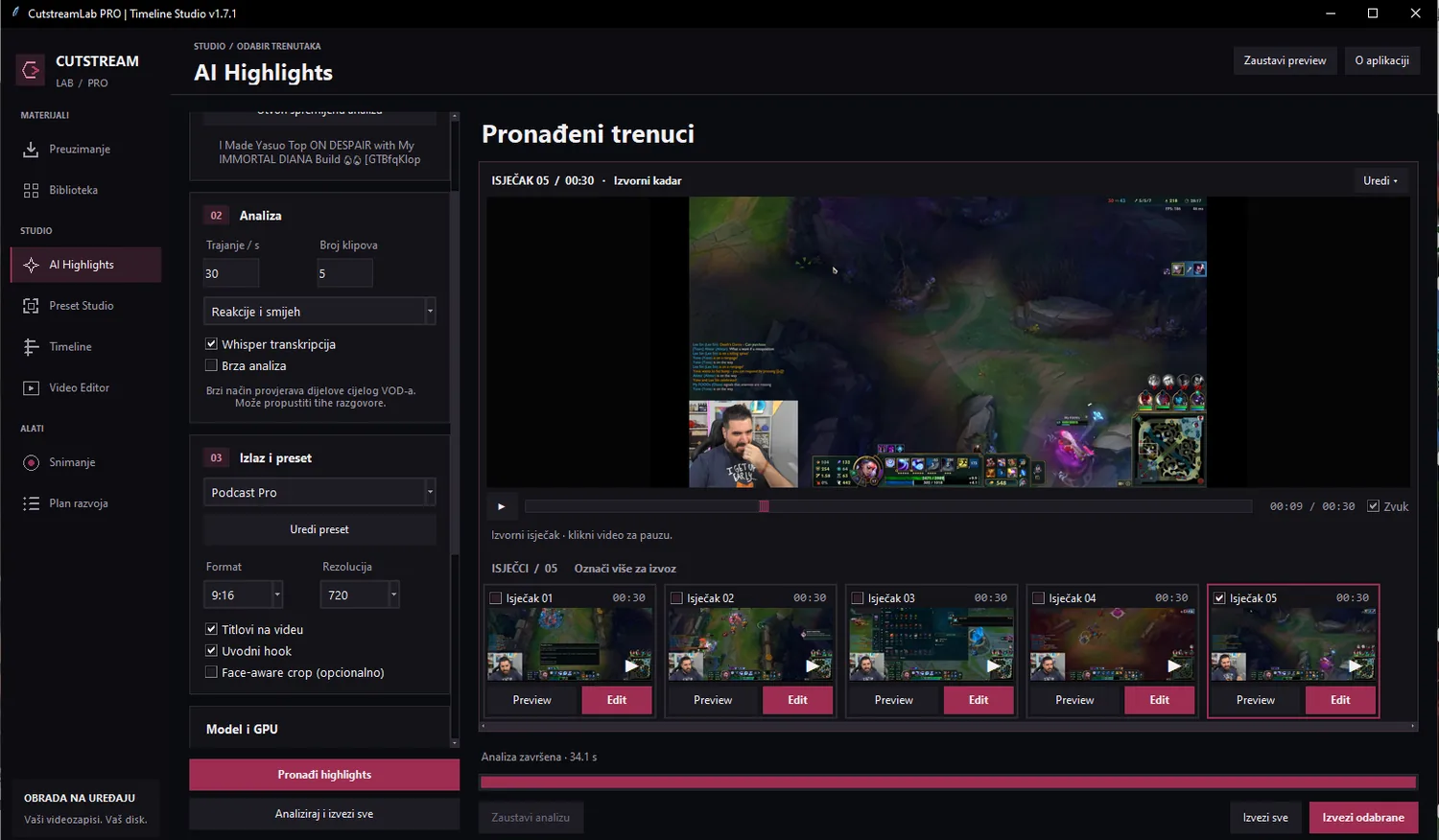
Analyze long recordings, discover promising reactions and jump straight to the moments worth editing.
HIGHLIGHT SIGNAL92 / 100
Find standout moments with AI, choose a layout, perfect the framing and export shorts — without jumping between five different tools.
From finding the best moment to the final vertical export, keep the process simple.
Analyze long recordings, discover promising reactions and jump straight to the moments worth editing.
Position camera and gameplay areas, choose your composition and save reusable clipping styles.
Trim segments, arrange layers, adjust timing and make precise edits before exporting.
Generate subtitles, choose a style and adjust their placement to suit the video.
Work in 9:16 and create videos ready for short-form platforms.
A straightforward creative flow that keeps you in control.
Start with a recording or supported source.
Review AI suggestions and choose the moments.
Crop, style captions and refine the edit.
Render a vertical MP4 ready to publish.
Screenshots from the actual CutstreamLab PRO desktop application.
We’re building an affordable video clipping studio for creators who want powerful tools without complicated pricing.
Designed for an unlimited local clipping workflow.
The public Windows installer isn't published on this preview website yet. The download section will be updated once a release is ready.
The project is designed around local video processing and AI analysis. Actual performance depends on your computer hardware.
Yes. The desktop app includes a Preset Studio and timeline tools for manual adjustments after highlight selection.
Not yet. €4.99 per month is the planned subscription price, not a live checkout or an active offer.
CutstreamLab PRO for Windows is in development. Public downloads and subscriptions will be added here when they're ready.